Floral Atelier — flower arranging studio
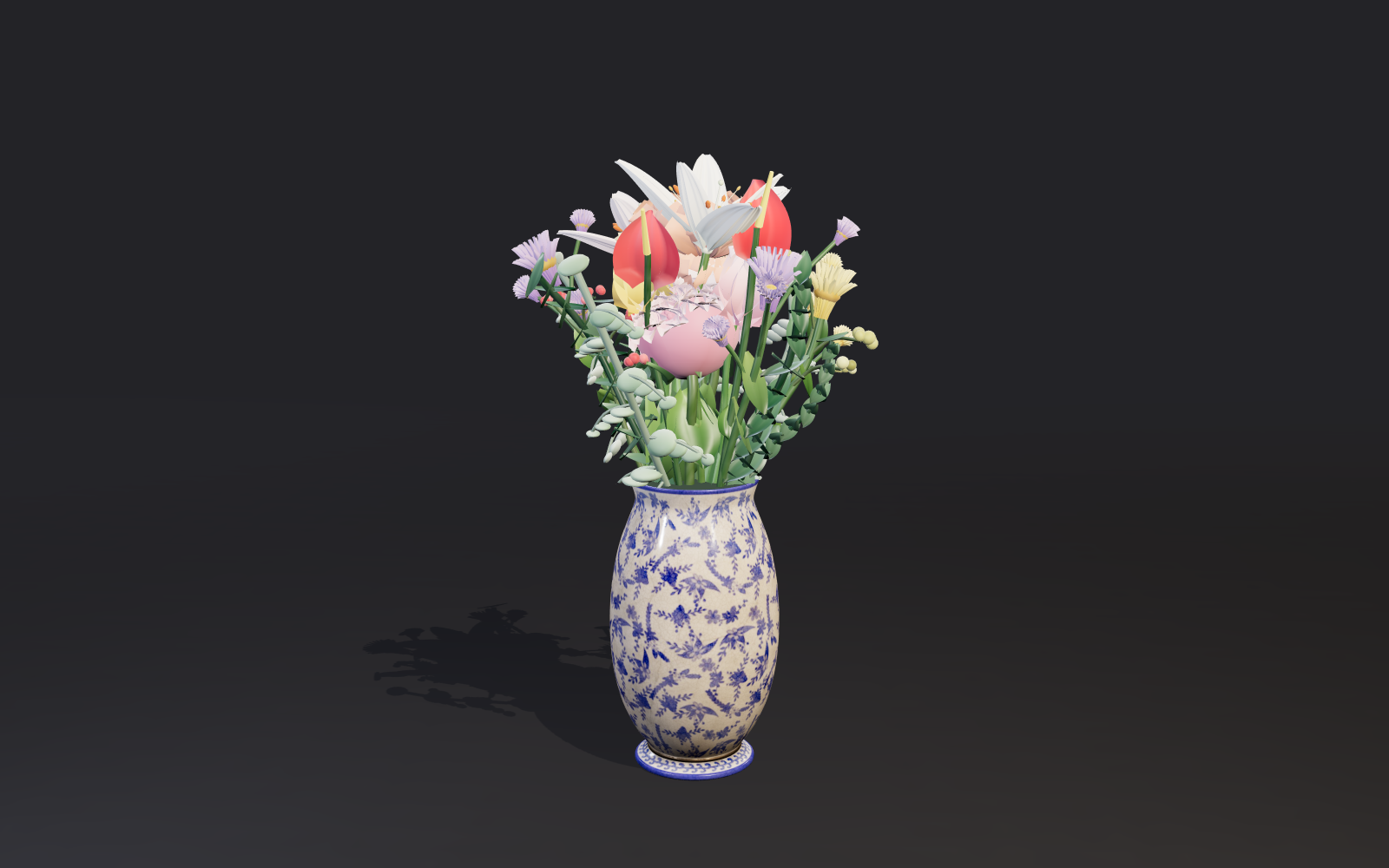
An original flower-arranging studio rendered in real time (WebGL2, three.js r186 vendored locally; Korean in-game UI). Pick one of six vessels — four procedural ceramics (round, cylinder, bottle, low bowl) plus two real CC0 photo-scanned Poly Haven vases (Ceramic Vase 01, Antique Ceramic Vase 01) that load from local files — then click materials to add sculpted roses, tulips, white lilies with flared petals and stamens, red heart-spathe anthuriums, hydrangeas, spray mums, berry sprays, eucalyptus and ruscus at balanced spots, or two real CC0 flowering-groundcover plant crowns (gazania, empodium — honestly offered as whole plants sitting in the vase mouth, not cut stems). Drag stems to rearrange, adjust size, rotation and tilt, undo, start over, switch stage backgrounds, and save the finished bouquet as a PNG. Opens with a ready starter arrangement; if the scanned assets cannot load, the procedural originals keep everything working. Keyboard-friendly controls and a graceful WebGL fallback.
Controls
- Click a material (left panel): add it at a balanced spot in the vase
- Click a plant on the stage: select it (a white ring marks the anchor, a compact gizmo appears on the bloom)
- Drag a selected plant: it follows the pointer without jumping off the grab point, with an even-handed (not Z-amplified) slide across the vase mouth
- Gizmo ring knob (on the bloom): drag it around the bloom to rotate; center cross pad: drag to tilt front-back / left-right; mouse wheel over the stage: resize
- Sliders (selection card): the same size, rotation and tilt controls, always in sync with the gizmo
- Keyboard (stage focused): arrows move, Q/E rotate, +/- resize, Delete remove, Ctrl+Z undo; the gizmo knobs are also focusable and arrow-driven; every gesture takes exactly one undo step
- View bar: 꽂기 arranges, 둘러보기 orbits (drag, one-finger, wheel, pinch, arrows, +/-). Presets 정면 / 옆면 / 위 / 처음 시점. The angle and zoom survive edits, undo, vessel changes and resize; 처음 시점 does not clear the bouquet. View changes are not undo steps. Escape returns to 꽂기. PNG save uses the current view
- Vessel icons, background chips, undo and start over live in the left panel; Save PNG downloads the finished bouquet
Provenance
MIT License; 3D assets from Poly Haven are CC0 (see SOURCES.md), Copyright (c) 2026 Pixelwide. Original work. Real CC0 3D assets from Poly Haven added as local game/assets/ glTF files loaded with the vendored three.js r186 GLTFLoader: two scanned vases offered as extra vessels and two flowering-groundcover plant crowns offered as extra materials (whole plants, never labelled cut stems). Asset bytes unmodified; only scale/ground-centering and shadow flags are applied at runtime. Full provenance and per-file MD5s in SOURCES.md. Full license at /play/floral-atelier/LICENSE. Game options: ?shot=1 deterministic UI-free starter arrangement (preview capture; waits for local assets), ?bg=charcoal|ivory|rose|sage initial background, ?vessel=round|cylinder|bottle|bowl|ceramic|antique initial vessel (ceramic/antique are the Poly Haven scans; they fall back to round if the local file cannot load).